
Free Mini Games Online — Puzzles & Quick Runs
Small puzzles and arcade runs for a short break. No account or installer.
Play free mini games online: slide tiles in 2048, jump obstacles in Chrome Dino, or match colors in Hextris. Open a game without an account or installer.
For a short break, choose a single arcade run or make a few puzzle moves. A full game can last longer than your break: 2048 and 0h h1 are self-paced puzzles, while Chrome Dino and Hextris test your reactions. The larger catalog below also includes longer idle games. Loading time depends on the game, device and connection.
Quick mini games: choose how you want to play
- A short arcade run: Chrome Dino — Press Space or Up Arrow to jump over obstacles and Down Arrow to duck. A crash ends the run, so each attempt gives you a clear stopping point.
- A few puzzle moves: 2048 — Use arrow keys or swipes to merge equal-numbered tiles. There is no need to rush each move; finishing the board can take longer than a short break.
- A reaction challenge: Hextris — Rotate left or right to line up matching colors around a hexagon. Choose this when you want a faster-paced puzzle.
- A logic grid: 0h h1 — Click or tap cells to cycle red, blue and empty. Solve a grid at your own pace rather than chasing an arcade score.
More choices: More free browser games · Games to play when bored.
Mini Games (88)
 Hot
HotGoogle Snake

2048
 Hot
HotSlope
Fruit Ninja
Cookie Clicker
 New
NewHextris
 New
NewFlippy Fish
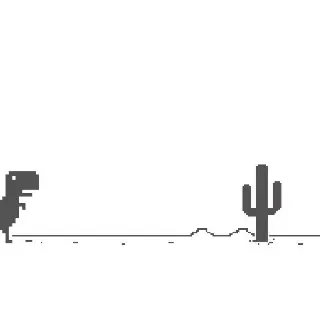
Chrome Dino
Edge Surf
Tube Jumpers

0h h1
0h n0
Wordle Unlimited
Doge Miner
 Hot
HotBitLife
 Hot
HotDrive Mad
 Hot
HotFive Nights at Freddy's 1
 Hot
HotMinecraft Classic
 Hot
HotSubway Surfers — Singapore
 Hot
HotSuper Mario 64
 New
NewAgar.io with Bots
 New
NewAndromeda Invaders
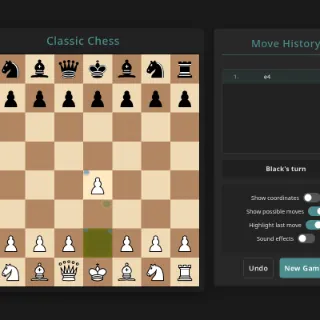 New
NewClassic Chess
 New
NewDuck Life 3
 New
NewDuck Life 4
 New
NewDuck Life 5
 New
NewGetaway Shootout (New)
 New
NewHexGL
 New
NewKlondike Solitaire
 New
NewLudo Game
 New
NewOutrun Racer
 New
NewSnake.io
 New
NewStar Battle
 New
NewTerritory Walls
 New
NewTower Defense 3D

1
100 Player Pong

A Dance of Fire and Ice

A Small World Cup

Alien Hominid
Amidst the Sky
Animator vs Animation
Asteroids
Astray

Ballistic Chickens
Bloons Tower Defense
Bloons Tower Defense 2
Bloxors

Burrito Bison: Launcha Libre
Cat Ninja

Circle War

CSGO Clicker
Doge Miner 2

Dreader
Drift Boss
Duck Life 1
Duck Life 2
Eggy Car
Geometry Dash (Scratch)

Getaway Shootout
GrindCraft
HackerTyper

Idle Zoo

Monkey Mart

Offline Among Us

OvO
OvO 2
Paper.io 2

Retro Bowl

Riddle School 1
Riddle School 2
Riddle School 3

Riddle School 4

Riddle School 5

Riddle Transfer 1
Riddle Transfer 2

Rooftop Snipers
Slope 2

Sprinter
Stickman Hook
The Impossible Quiz

Toss the Turtle
Tunnel Rush
Twitch Tetris

Unfair Mario
World's Hardest Game
World's Hardest Game 2
World's Hardest Game 3
Frequently asked questions
Can I play mini games online free without downloading?
Yes. The quick picks above open in your browser without an account or separate installer. Your browser still loads the game files, so allow time for the game to start.
Which mini games are good for a short break?
Try one Chrome Dino run or a few moves in 2048 or 0h h1. Hextris suits a faster reaction challenge. These are short-session suggestions, not a guarantee that a complete game takes only a few minutes.
What are the best mini games to play at school?
When games are permitted, 2048 offers a self-paced number puzzle and Chrome Dino offers keyboard-controlled arcade runs. Choose a game that works on your device and follow your school's network and break-time rules.
Do mini games work on Chromebook or a phone?
2048 supports arrow keys on a Chromebook and swipes on a phone; 0h h1 supports clicks or taps. Chrome Dino's jump-and-duck controls suit a keyboard. Other games have different control and graphics requirements, so check the game page.
Will a mini game save my progress when I close the tab?
It depends on the game. Chrome Dino starts a new run after reloading; 2048 can restore a board when browser storage is available and retained. Private browsing or clearing site data can remove saved state.