
Free Browser Games — No Download or Plugins
Pick a puzzle, arcade challenge or 3D racer and play in your browser.
Play free browser games with no download or plugins. Choose number puzzles, quick arcade games or 3D racing, with controls and game links below.
No download means no separate app or installer: your browser still loads the game files. Start with 2048 or 0h h1 for a puzzle, Hextris for a color-matching challenge, or HexGL for 3D racing. Keyboard, touch and graphics requirements vary by game; check the controls before choosing a game for your device.
Which browser game should I try?
- Number puzzle: 2048 — Merge equal tiles toward 2048. Use arrow keys on a computer or swipe on a touchscreen; each move gives you time to plan.
- Logic puzzle: 0h h1 — Click or tap cells to cycle their colors and complete a red-and-blue grid under three rules.
- Arcade puzzle: Hextris — Rotate the hexagon with Left and Right Arrow to catch and match colored blocks before they stack too high.
- 3D racing: HexGL — Steer a futuristic craft around the track with arrow keys. This WebGL game needs more graphics capability than the grid puzzles.
More choices: Mini games for short breaks · Browser games for lower-spec devices.
Browser Games (106)
 Hot
HotBitLife
 Hot
HotDrift Hunters
 Hot
HotDrive Mad
 Hot
HotFive Nights at Freddy's 1
 Hot
HotGoogle Snake
 Hot
HotMinecraft Classic
 Hot
HotSlope
 Hot
HotSubway Surfers — Singapore
 Hot
HotSuper Mario 64
 New
NewAgar.io with Bots
 New
NewAndromeda Invaders
 New
NewClassic Chess
 New
NewDuck Life 3
 New
NewDuck Life 4
 New
NewDuck Life 5
 New
NewFlippy Fish
 New
NewFNAF 5: Sister Location
 New
NewFunny Shooter
 New
NewGetaway Shootout (New)
 New
NewHexGL
 New
NewHextris
 New
NewHTML Dungeon Crawl
 New
NewKlondike Solitaire
 New
NewLudo Game
 New
NewOutrun Racer
 New
NewPRISMHORN
 New
NewSnake.io
 New
NewSpike Sprint
 New
NewStar Battle
 New
NewTerritory Walls
 New
NewTower Defense 3D

0h h1
0h n0

1
100 Player Pong

2048
A Dance of Fire and Ice

A Small World Cup
Age of Conflict

Alien Hominid
Amidst the Sky
Animator vs Animation
Asteroids
Astray
Ballistic Chickens
Basket Bros
Bloons Tower Defense
Bloons Tower Defense 2
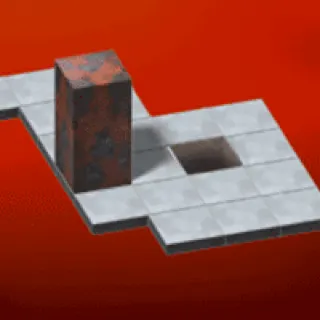
Bloxors
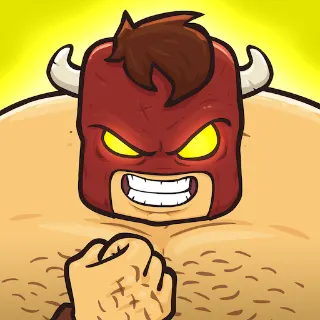
Burrito Bison: Launcha Libre
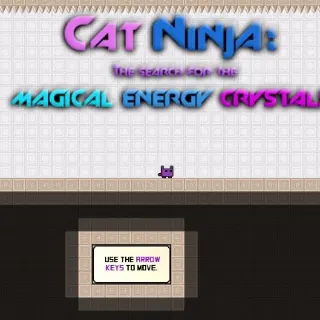
Cat Ninja
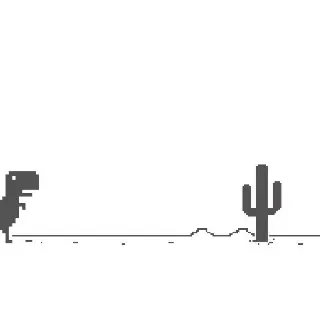
Chrome Dino

Circle War
Cookie Clicker

Creative Kill Chamber
CSGO Clicker
Doge Miner
Doge Miner 2

Dreader
Drift Boss
Duck Life 1
Duck Life 2
Edge Surf
Eggy Car

Five Nights at Wario's

FNAF 2
FNAF 3
FNAF 4

FNAF: Ultimate Custom Night
Fruit Ninja
Geometry Dash (Scratch)
Getaway Shootout
GrindCraft
HackerTyper

Idle Zoo
Monkey Mart

Monster Battle

Offline Among Us

OvO

OvO 2
Paper.io 2
Retro Bowl

Riddle School 1
Riddle School 2
Riddle School 3

Riddle School 4

Riddle School 5

Riddle Transfer 1
Riddle Transfer 2

Rooftop Snipers
Slope 2
Sprinter
Stickman Hook
The Impossible Quiz

Time Shooter 1

Time Shooter 2
Time Shooter 3

Toss the Turtle
Tube Jumpers
Tunnel Rush
Twitch Tetris
Unfair Mario
Wordle Unlimited
World's Hardest Game
World's Hardest Game 2
World's Hardest Game 3
Frequently asked questions
What are browser games?
Browser games are games that run directly in a web browser using HTML5, WebGL or similar web technology. You open a URL and play without installing software.
Which online games can I play without Flash Player?
2048, 0h h1, Hextris and HexGL are browser games you can open here without installing Flash Player or a browser plugin. Use the quick-pick links above to choose a puzzle, arcade game or 3D racer.
Does no download mean a browser game works offline?
No. It means you do not install a separate application. The browser still fetches game files, and some games need an ongoing connection. Keep the connection available unless that particular game supports offline play.
Can I play free browser games on a phone?
For touch controls, start with 2048, which supports swiping, or 0h h1, which supports tapping grid cells. Keyboard-first or graphics-heavy games may need a computer. Compatibility depends on the game, browser and device.
Which browsers work best for web games?
Use an up-to-date browser with the features the game requires. The 2D puzzles are a useful starting point; a WebGL racer such as HexGL also depends on graphics support. If a game struggles, close heavy background tabs or choose a simpler game.